Nova Link
Connect trusted Nova terminals.
NOVA 5.0 · WORKING PROTOTYPE
MEET NOVA
AI that works beside you.
Real-time conversation. Visual awareness. Connected people. Nova brings voice, cameras, telepresence, and workplace-focused AI assistance into one practical platform.
Contact NovatonomyAI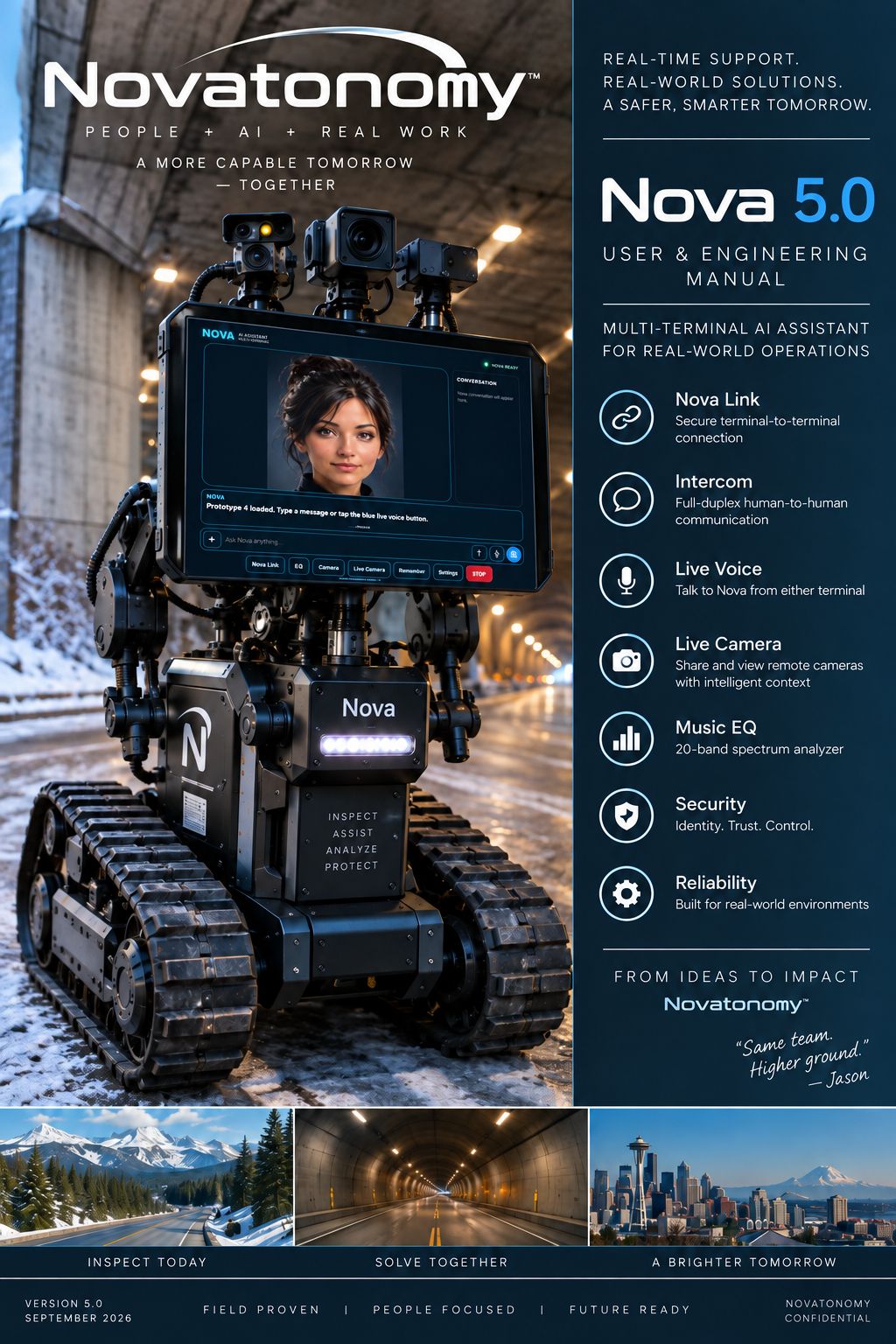
01 Talk naturally.
02 See the work.
03 Stay connected.
MEET YOUR AI COWORKER
Nova is designed to work alongside people, bringing conversation, visual information, and human collaboration into the same workspace.
Ask a question, share what you see, or connect with a coworker at another Nova terminal. Move between AI assistance, telepresence, and useful project context as the task changes.
Nova 5.0 is a working prototype and a physically demonstrated multi-terminal AI platform. It is not yet a finished, commercially available product.
Get to know the interfaceTHE CURRENT NOVA TERMINAL
Voice, vision, communication, and clear operator controls—together in the Nova workspace.
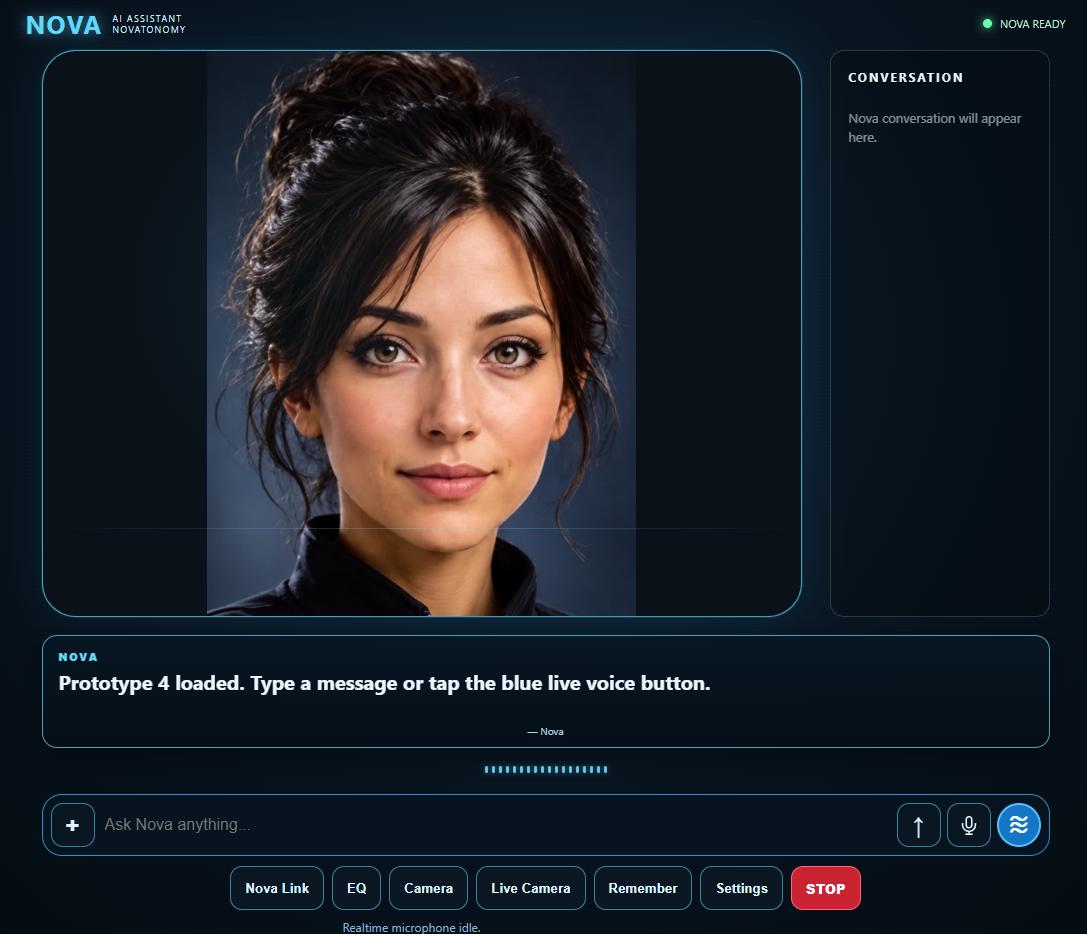
Connect trusted Nova terminals.
Talk with the person at the other terminal.
Talk naturally with Nova.
View a camera and capture a still for a specific task.
Keep ongoing live visual context available.
See a local, 20-band sound spectrum.
Keep useful project and workflow information available.
Manage the terminal and its controls.
End active linked and media operation.
NOVA LINK
Connect trusted Nova terminals for human communication, shared Nova interaction, and camera telepresence. Work together across devices without losing the context of the task.
Intercom provides full-duplex communication between linked terminals. Talk naturally with the person at the other terminal; this is distinct from talking to Nova.
Live Voice brings Nova into the conversation. Either linked terminal can become the active Nova conversation point.
The active person can be heard at the other terminal while speaking with Nova, and Nova’s response can be heard across the linked session.
CAMERA & LIVE CAMERA
Camera provides a direct interaction or a captured still. Live Camera keeps ongoing live visual context available. They use the same source rule, with different ways to work.
With Nova Link off, Camera and Live Camera use your terminal’s local camera. Front/rear controls switch your own camera where supported.
When linked, either user can view the other terminal’s camera in the large main view, while Nova remains in picture-in-picture. Front/rear controls switch the peer camera where supported.
20-BAND EQ
Local full-range sound visualization, approximately 50 Hz to 20 kHz. EQ alone does not automatically send surrounding audio to AI inference. Live Voice is a separate listening control.
Illustrative spectrum—not a live microphone.REMEMBER
Keep important project and workflow information available to Nova, supporting continuity as you return to the work. No promise of unlimited or permanent memory.
OPERATOR CONTROL
A simple, unmistakable control for ending active linked and media operation. It is a software operator control, not a certified emergency-stop or life-safety device.
WORKPLACE PRODUCTIVITY
Practical assistance at the point of work. Designed to help people find information, communicate clearly, and make progress on the task in front of them.
Faster access to answers, procedures, and useful project context can help reduce task switching.
Combine remote expert conversation with a shared visual view for troubleshooting and support.
Hands-free interaction and portable access across terminals keep assistance nearer to the work.
WORKPLACE SAFETY SUPPORT
Better communication and a clearer view can support the people doing the work.
Remote visual support, easier worker communication, and information near the task may help reduce unnecessary movement into some work areas. Nova offers clear operator controls; future sensor and robotic integration remains in development.
POTENTIAL APPLICATIONS
Areas where visual collaboration, clear communication, and accessible information could help. These are potential applications, not claims of existing commercial deployments.
Bring visual context and remote expertise to the task.
Discuss equipment, procedures, and the next troubleshooting step.
Support communication and access to operational information.
Connect field personnel with technical support.
Keep useful knowledge closer to the point of work.
Coordinate people and understand issues across locations.
Share a live view with a person at another terminal.
See the problem while talking through it.
Let learners observe, ask questions, and follow the work.
Move between coworker conversation and AI assistance.
WHERE NOVA IS TODAY
A multi-terminal AI coworker, physically exercised on Windows PC, iPad, and iPhone.
A future physical platform direction. The robot imagery is a concept, not a currently available hardware product.
TARGET LAUNCH PRICING
Explore target pricing freely. No signup, sales call, or personal information required to understand the plans.
PROPOSED MONTHLY AI PLANS
$19.99/ month
Light AI usage
Learn more$49.99/ month
Regular individual / professional AI usage
Learn more$99.99/ month
Higher AI usage and advanced workflows
Learn moreTarget launch pricing shown for planning and market feedback. Final pricing, included AI usage, hardware requirements, taxes, availability, and plan features may change before commercial release.
Nova is not yet commercially available. Purchases and payments are not offered on this site. AI usage allowances have not yet been defined.
OPEN DOCUMENTATION
A closer look before you take the next step.
Explore the Nova 5.0 User Manual for a simple, step-by-step look at Nova’s current interface, features, linked-terminal operation, voice, camera, Intercom, EQ, controls, and everyday use.
This manual documents the current Nova 5.0 prototype and is provided so prospective users can see how the system works today.
ABOUT NOVATONOMYAI LLC
NovatonomyAI LLC develops practical AI systems designed to work alongside people in real environments.
Our focus is human and AI collaboration: real-time assistance, workplace productivity, safety support, and telepresence. Nova brings those ideas into a working platform, with modular technology and robotics as future directions.
We welcome conversations with prospective users, beta testers, workplace teams, and potential partners.
Start a conversationLET’S TALK
Interested in early access, workplace applications, partnerships, beta testing, or learning more about NovatonomyAI?
NovatonomyAI@gmail.com A direct conversation. No form required.